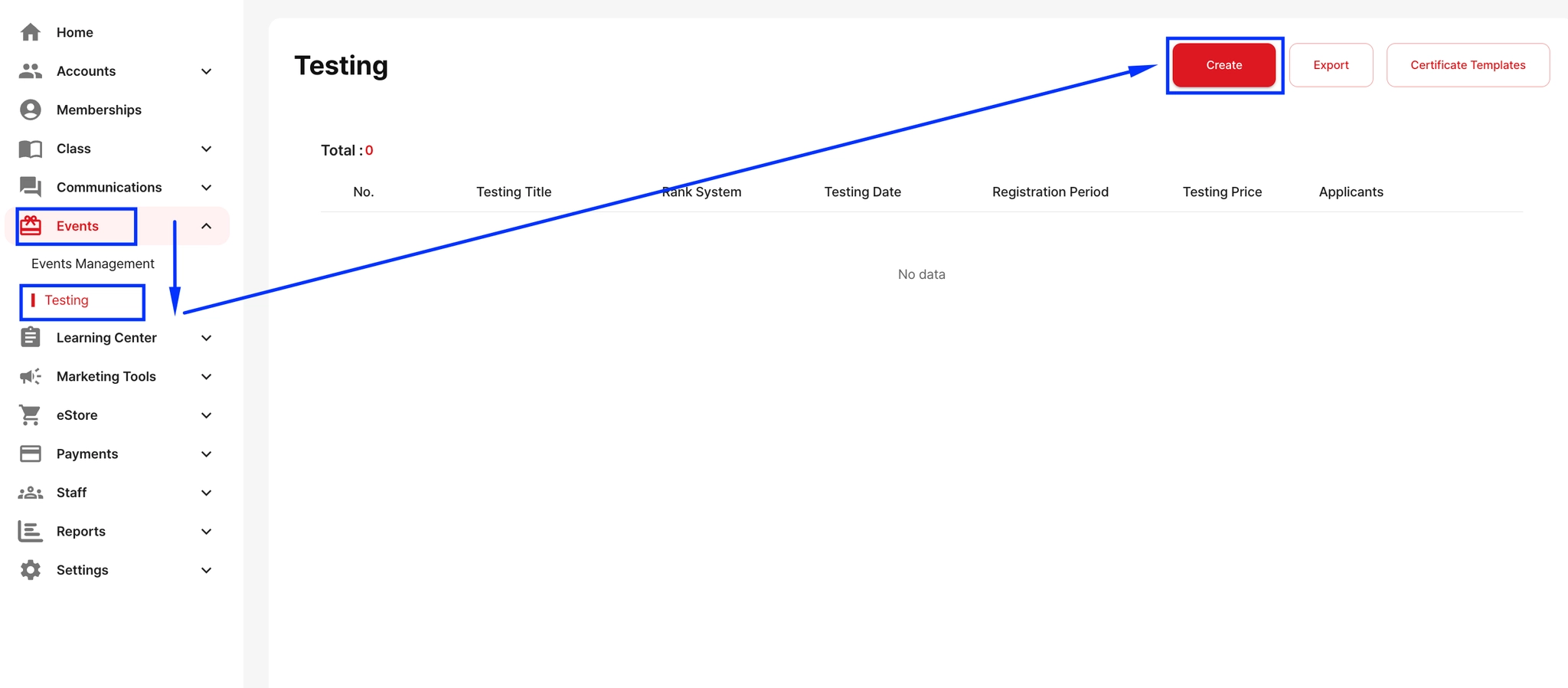
Create a Testing Event
Go to Events → Testing → Create
Enter all required information (event title, date, etc.)
When There Are Multiple Testing Time Slots
If you have multiple test sessions on the same day, do not use the Testing Time field.
Instead, add the schedule details (or image) in the Description section.
Example: 3:00 PM – White/Yellow Belt, 4:00 PM – Blue/Red Belt.
Adding Links (Surveys, Forms, Files)
You can provide any necessary links or files for candidates in the Description section as well.