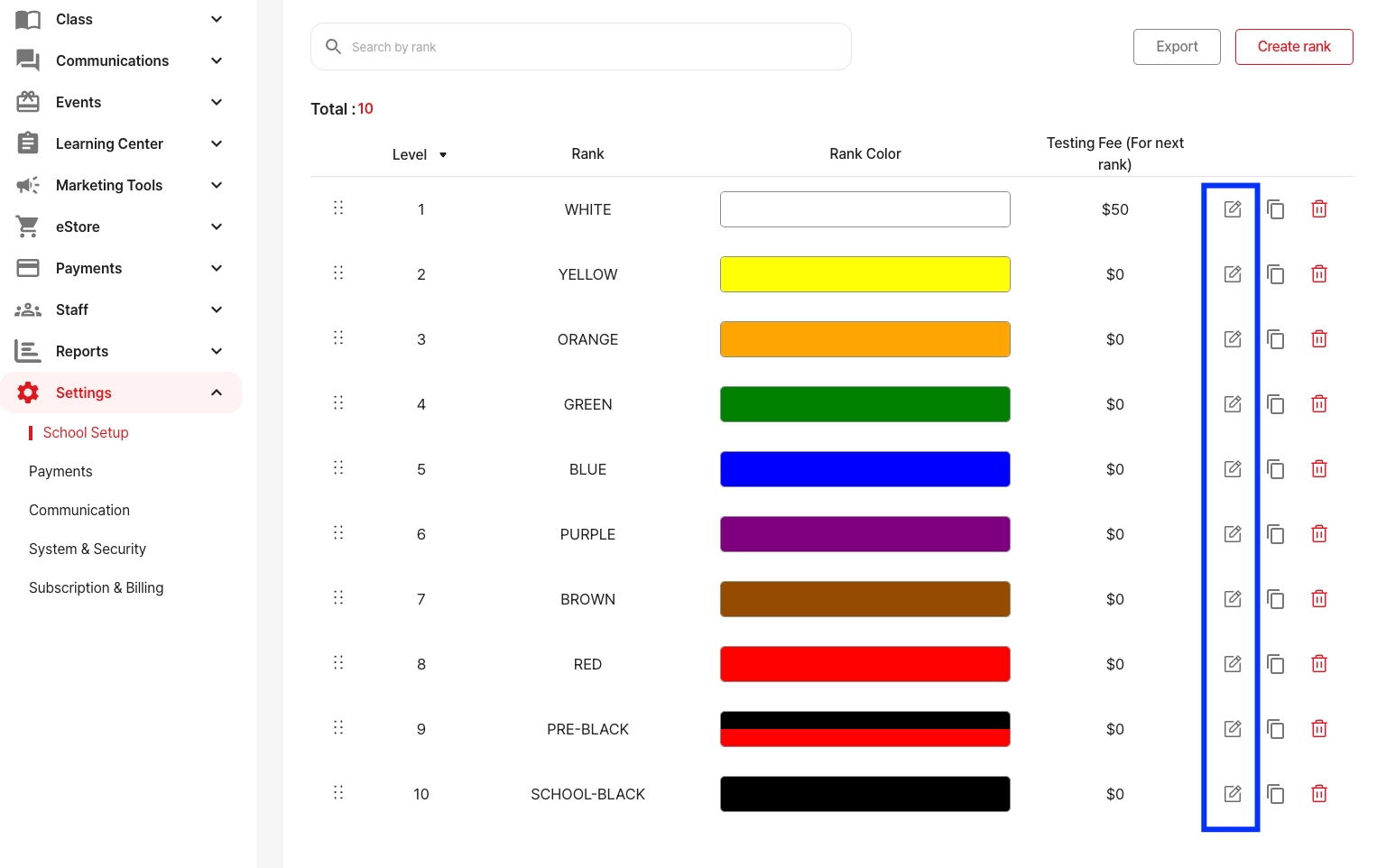
Go to Settings > School Setup > Rank System, select the system, and click the Edit icon next to the rank.
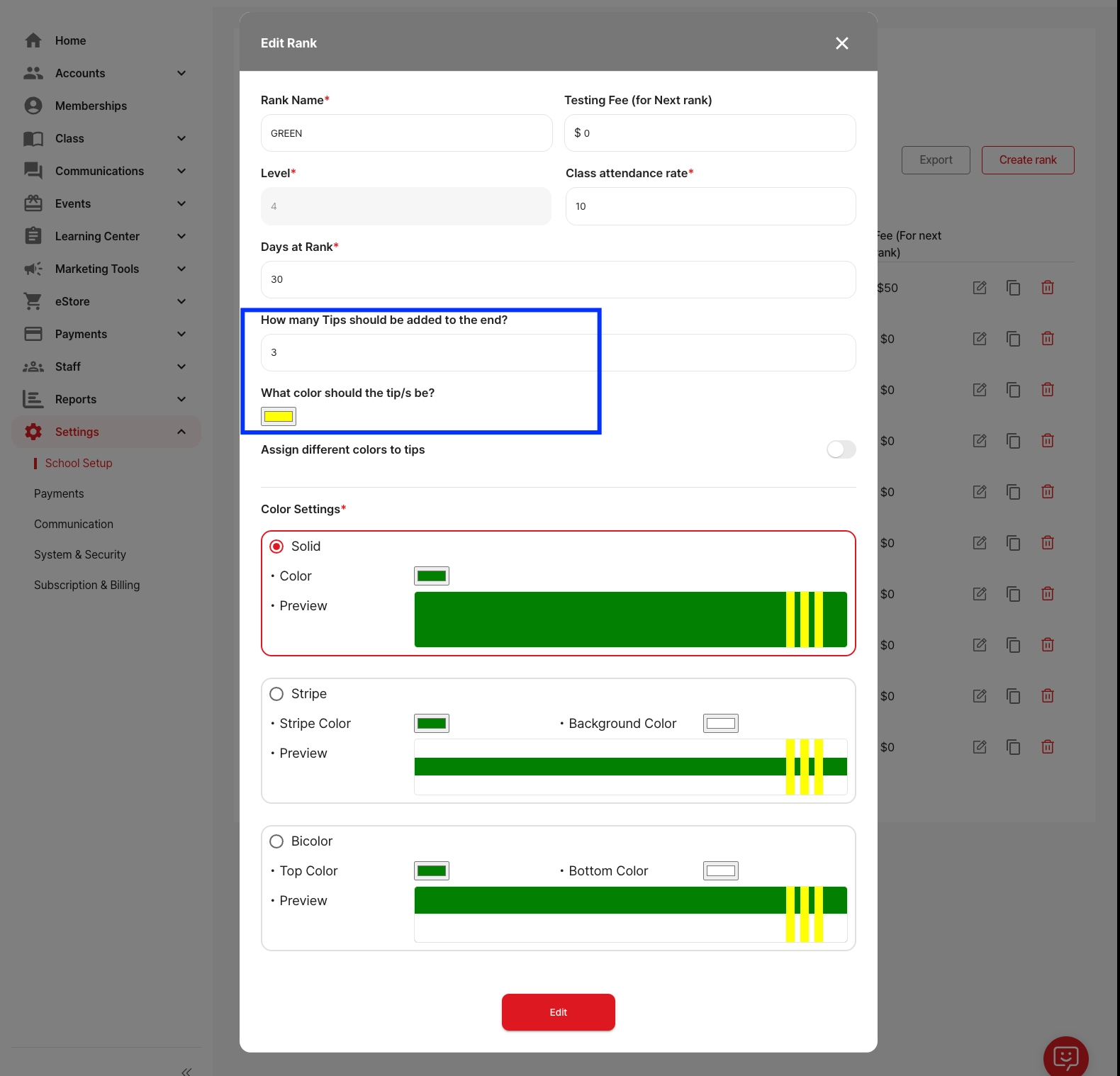
Set the Number of Tips: Find “How many tips should be added to the end?” and enter the number (e.g., 3).
Set the Color of the Tips: Choose a color under “What color should the tip/s be?”. This applies to all tips by default.
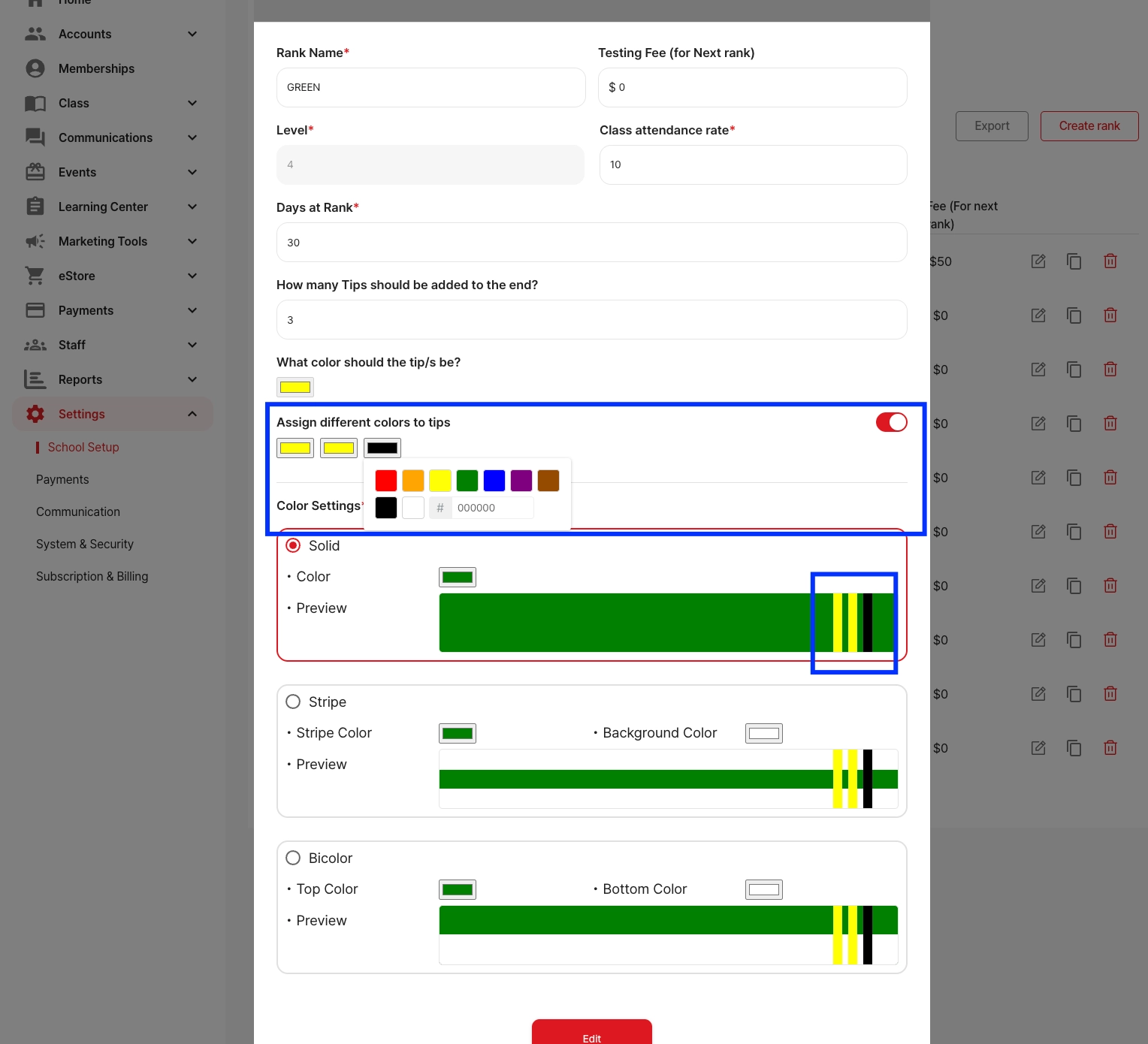
Customize Each Tip (Optional): Turn ON “Assign different colors to tips” to set individual colors for each tip.
Final Step: Click Edit (or Save) at the bottom.