MAS9 is launching a Beta version of Face Recognition for attendance.
Students can check in by simply standing in front of the camera — no name search or PIN required.
Important: A clear and current profile photo must already be attached to the student's profile. The system compares the live camera image to the stored profile photo.
How to Access
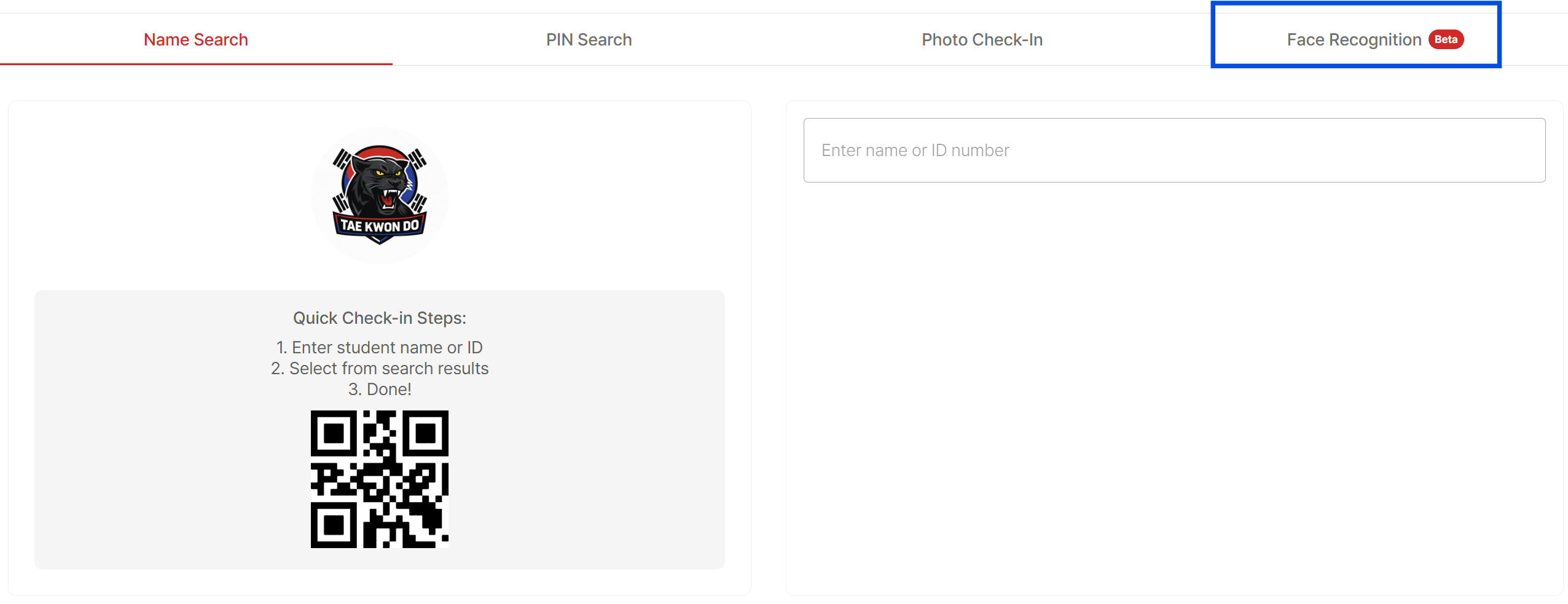
1. Click Self Check-in at the top of MAS9
2. Select Face Recognition (Beta) (Alongside Name Search, PIN Search, and Photo Check-in
First-Time Setup — Required Consent
When accessing Face Recognition for the first time, a consent popup will appear.
This feature requires two levels of consent:
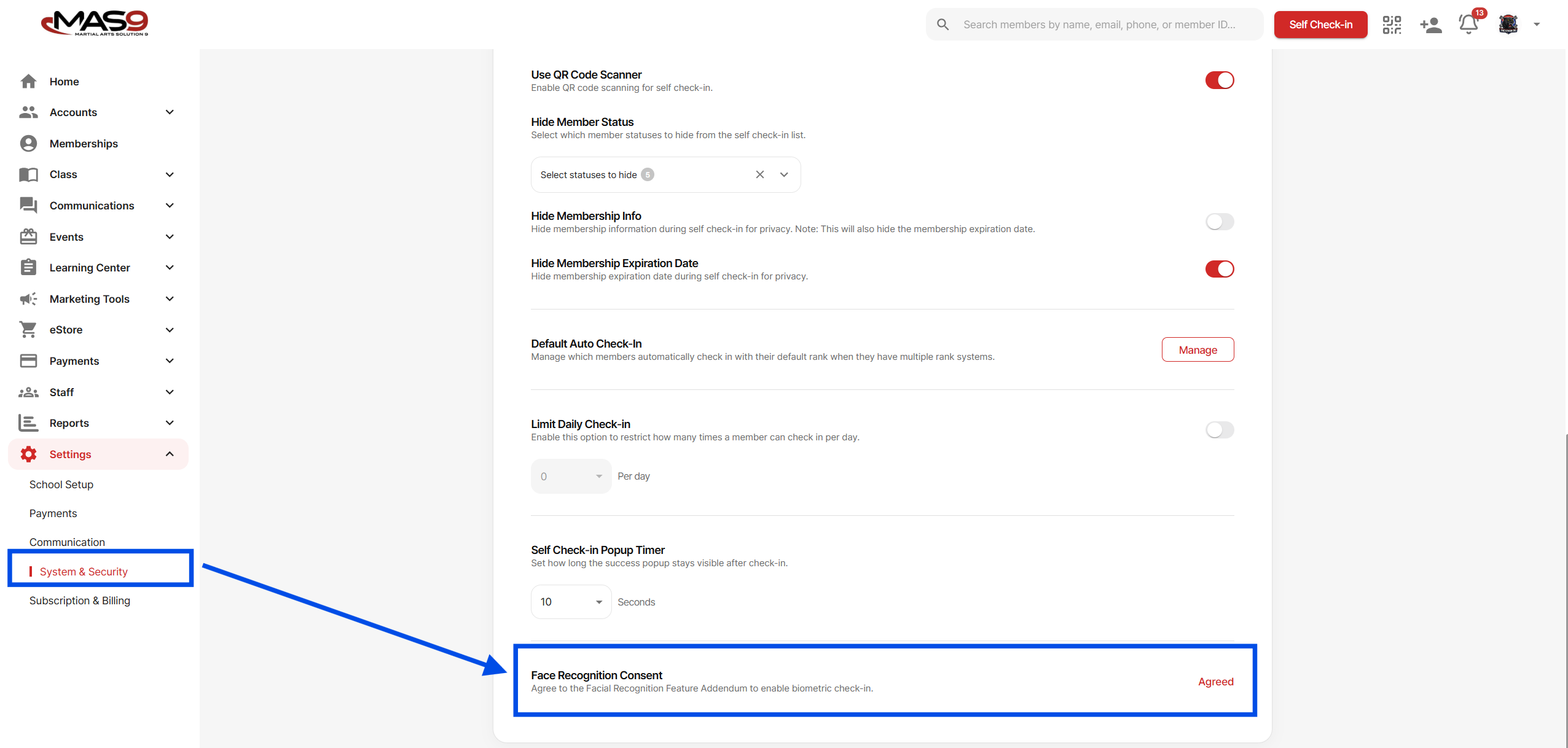
1. School-Level Consent
The school must agree to the collection and use of biometric data.
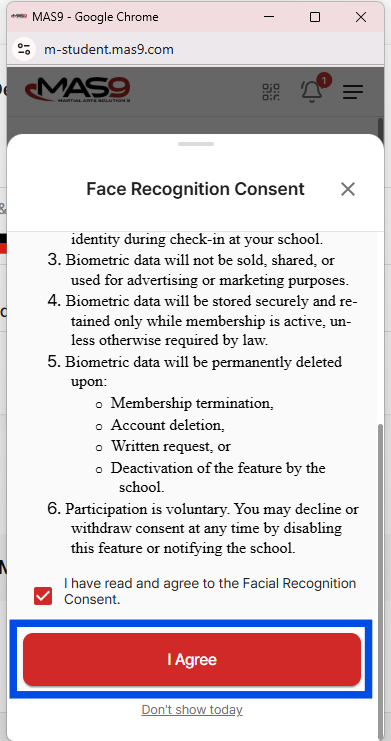
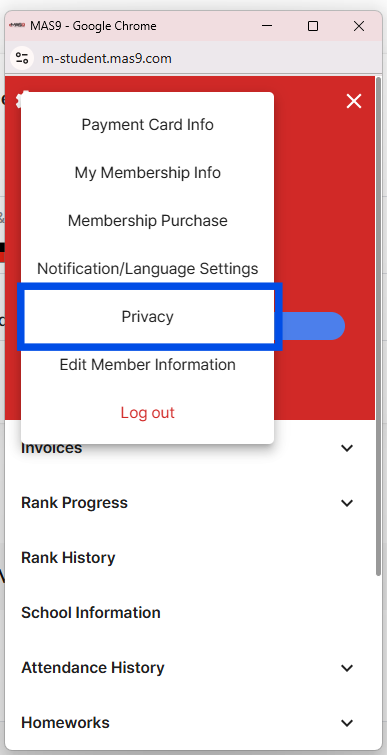
2. Student-Level Consent
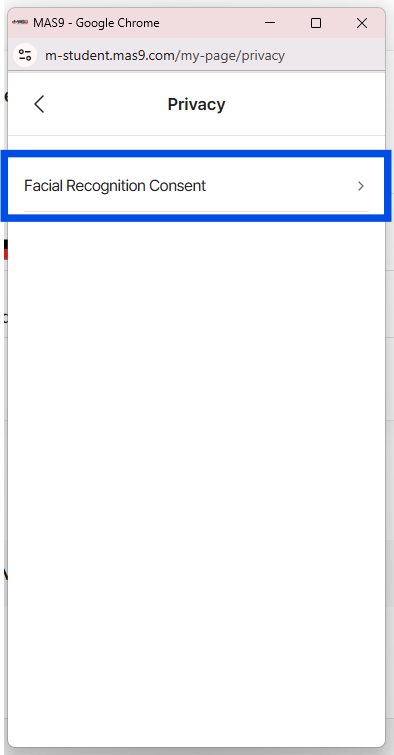
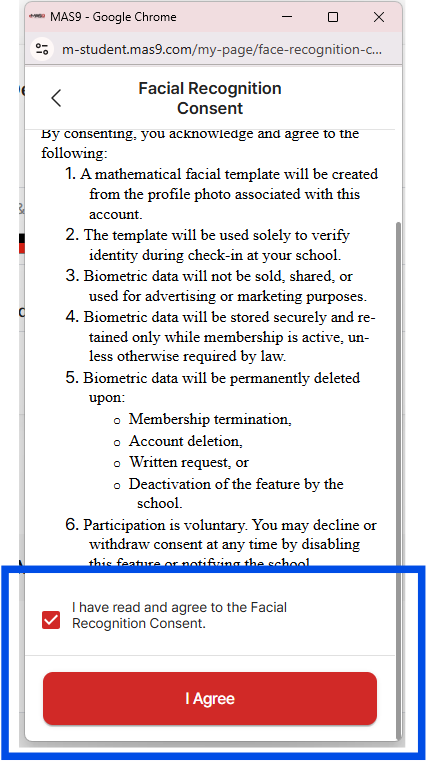
Each student (or parent/guardian) must provide consent through the MAS9 student app.
Only students who have completed consent will be able to check in using Face Recognition.
If a student has not agreed at their level, the system will not allow face check-in.
After reviewing the consent details, click Proceed to activate the feature.
How It Works
- The system uses the student's profile photo to generate recognition data.
- The student stands in front of the camera.
- If matched, attendance is recorded automatically.
For best results:
- Use clear, front-facing profile photos.
- Update photos if appearance changes significantly.
Important Warnings & Limitations
- Profile Photo Changes: Students can update their profile photos. If they replace their photo with an image that does not clearly show their face, Face Recognition may fail — even if consent has been completed.
- Twins / Similar Appearance: Due to technical limitations, Face Recognition may not be 100% accurate for twins or students with very similar facial features.
- This feature remains disabled until school-level consent is completed.
- Student-level consent is mandatory for each individual.
- This feature is currently in Beta and may continue to improve.
If you need assistance enabling or managing Face Recognition, please contact MAS9 Support.