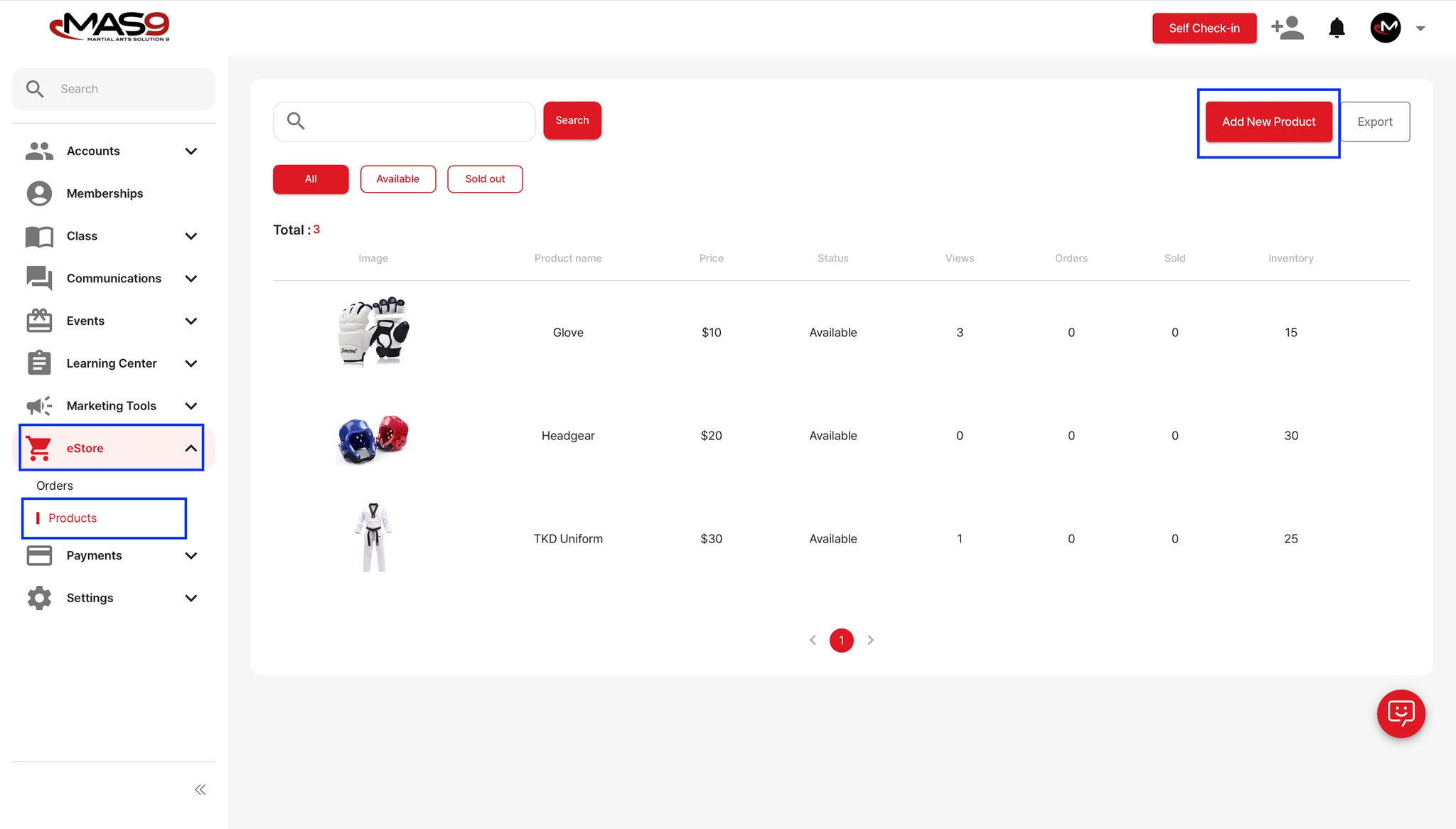
Go to eStore → Products.
Click Add New Product.
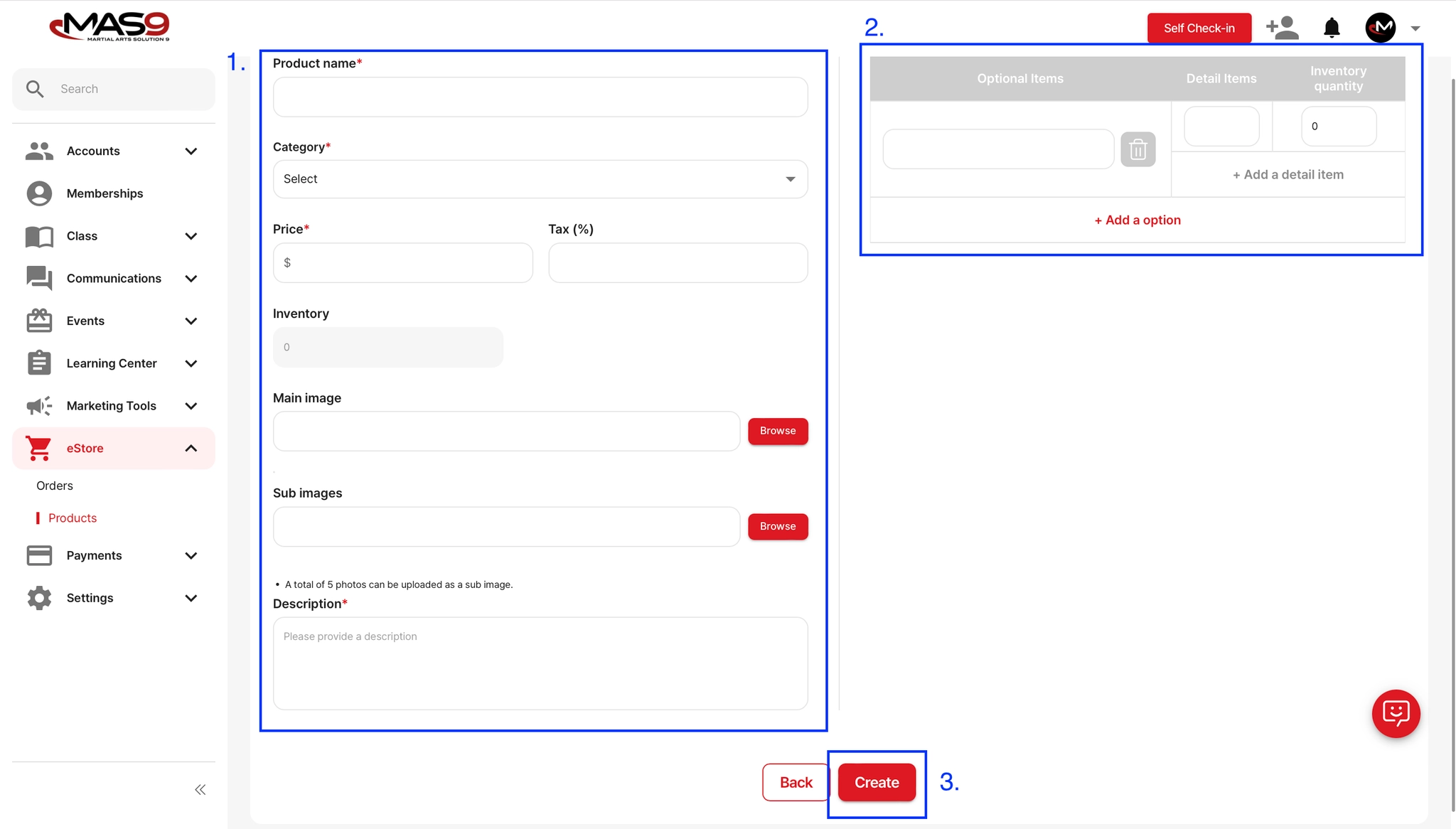
Fill in the product information and provide details about product options (e.g., size, color).
Uploading a product image is optional, but MAS9 strongly recommends preparing and uploading clear photos of the items you intend to sell.
Please note: Product images are required when registering items in the system.