To send a message through MAS9:
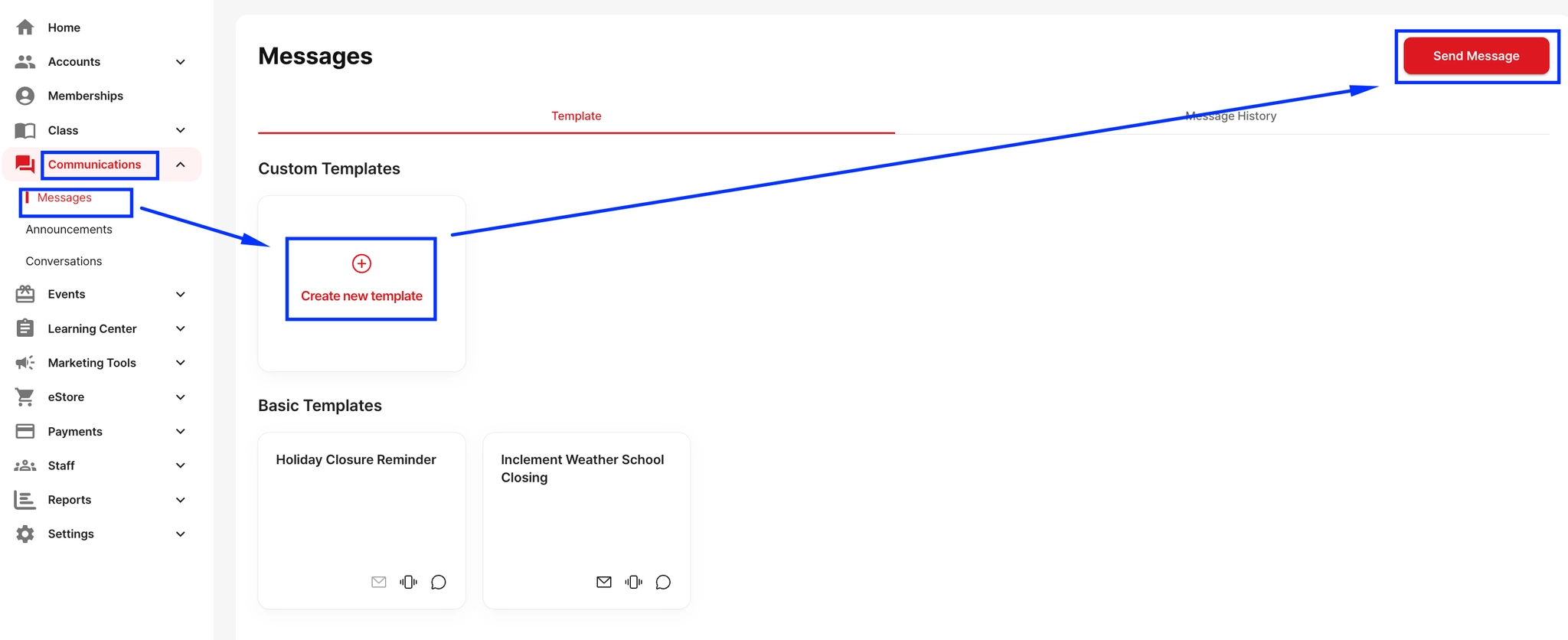
Go to Communication
Click the “Message” button at the top right
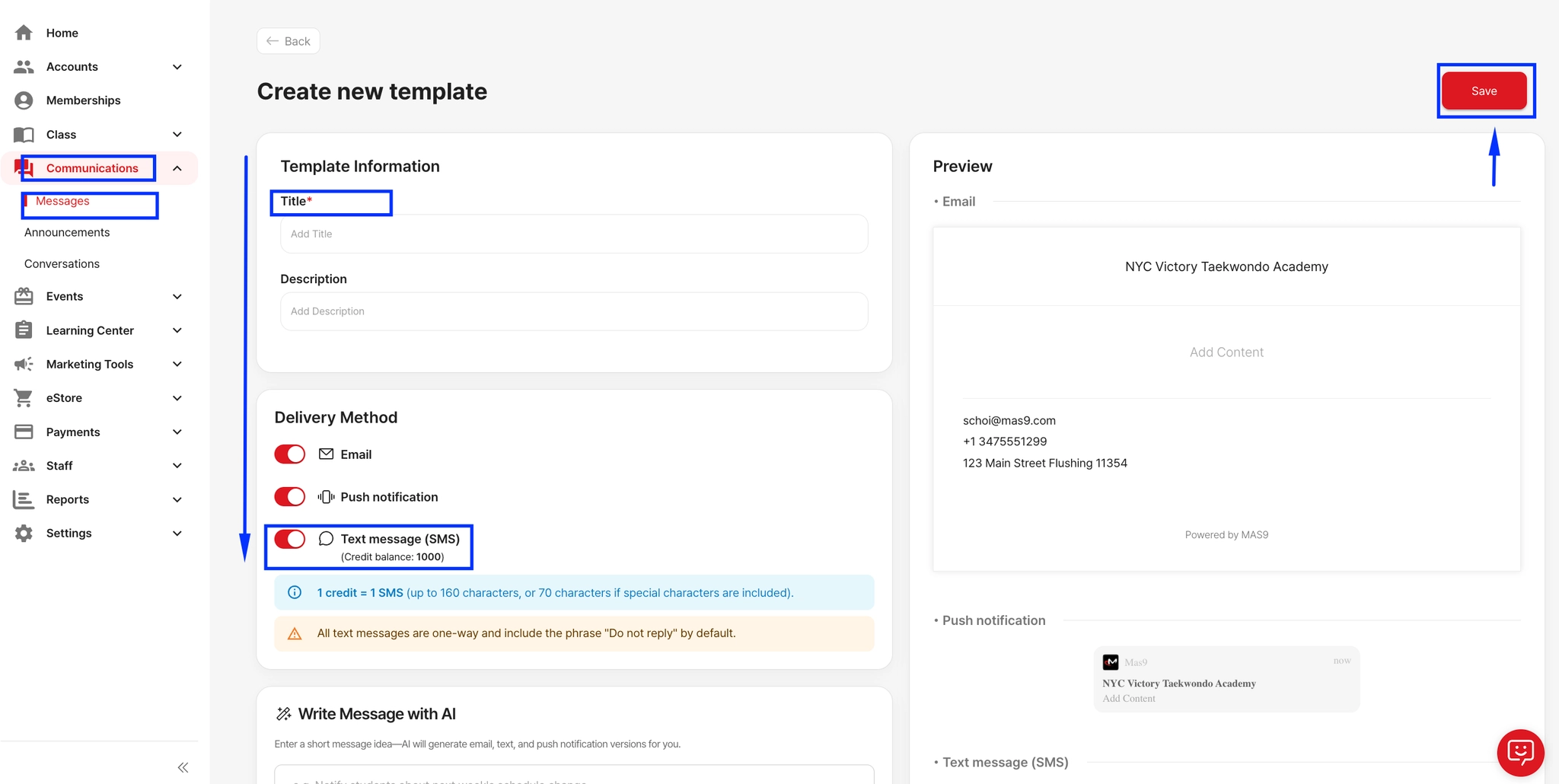
Create new template or Send message directly
Choose your Delivery Method (e.g., email, text)
Write your message content
Click Continue in the top right corner
Select the recipients
Click Schedule Message to complete