There are two types of passwords in MAS9:
System Password: For general system access.
Payment Password: For viewing payment and revenue information.
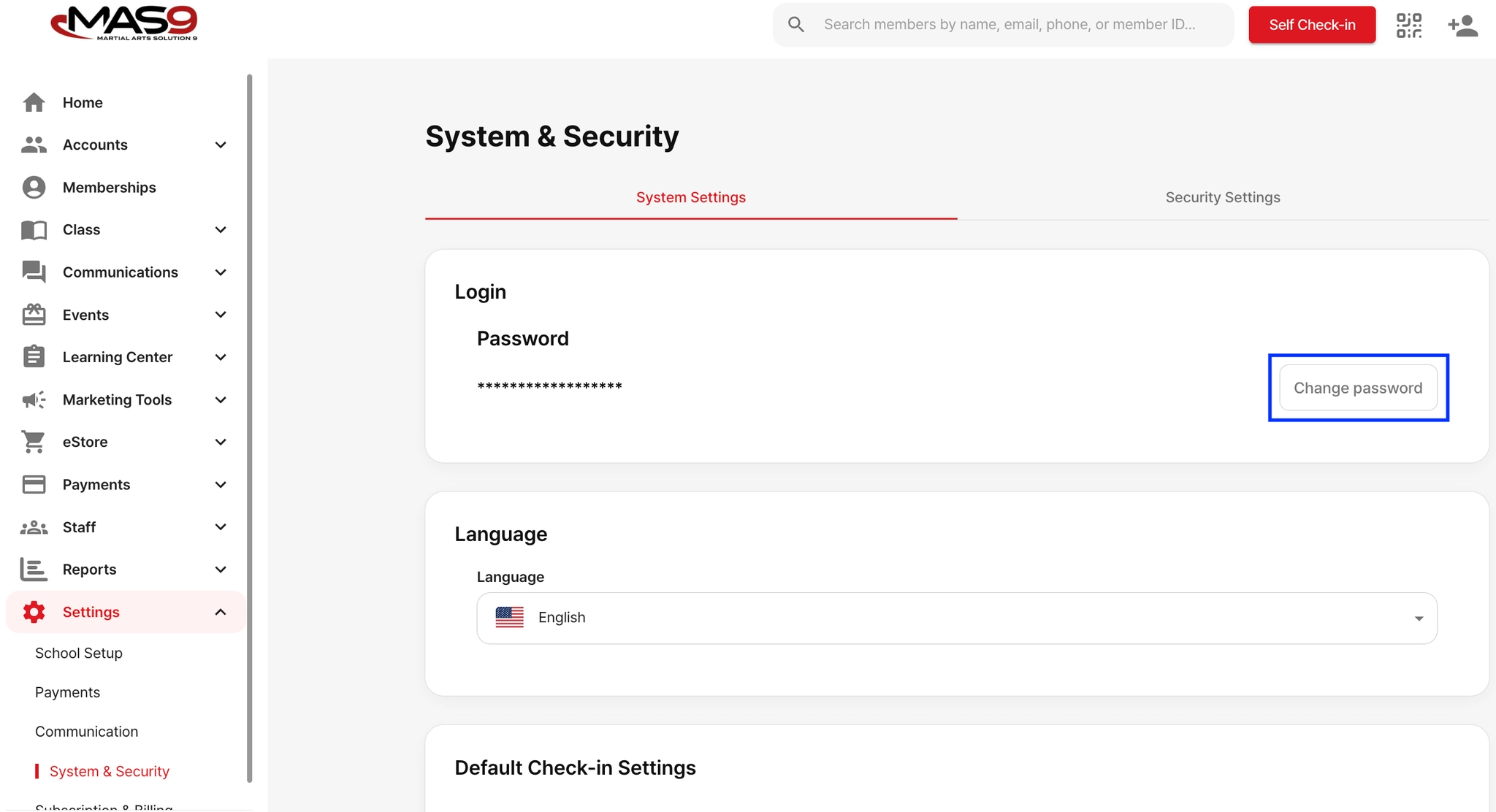
Changing System Password
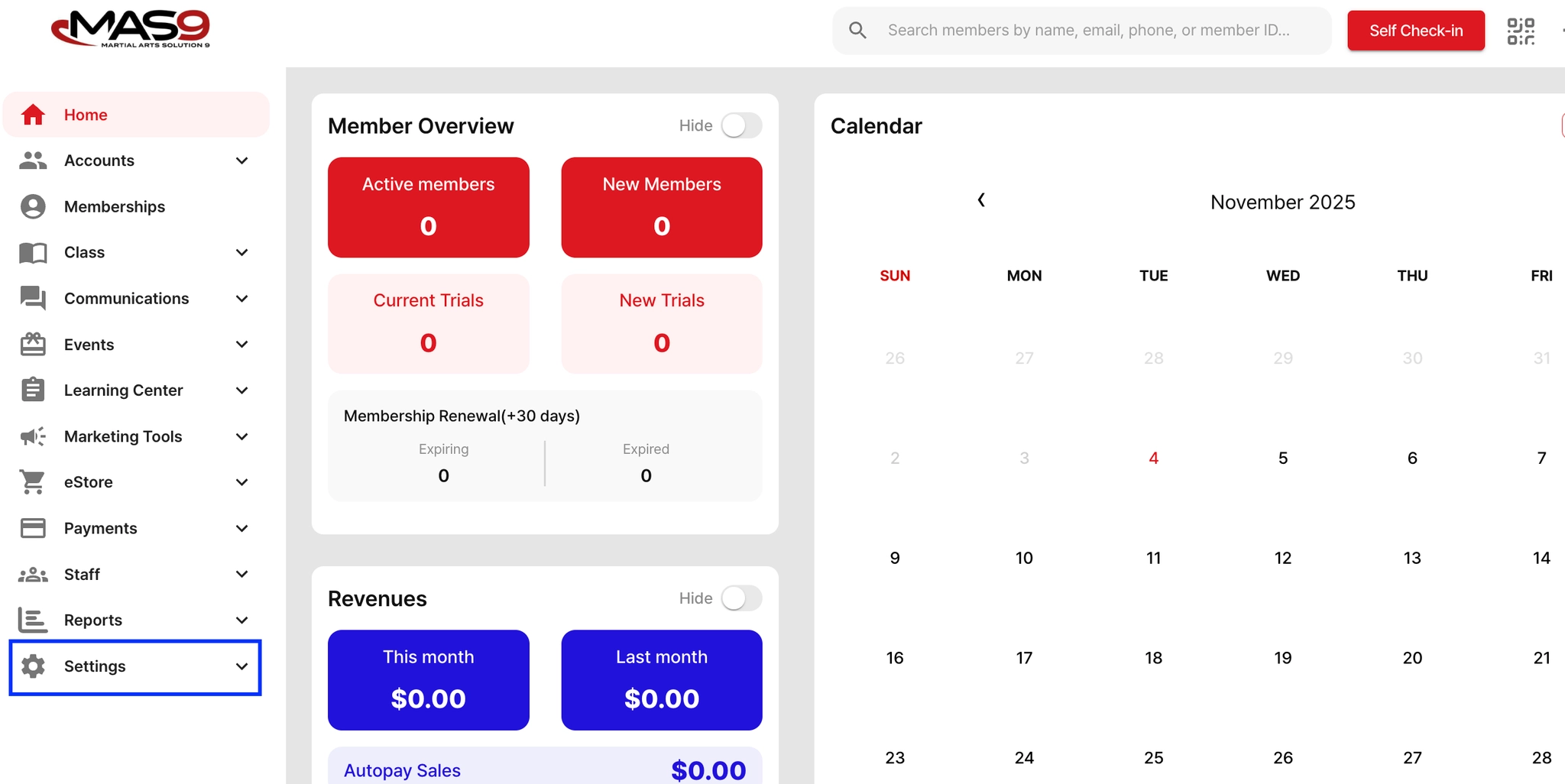
Go to Settings
Click System & Security
The System Setting tab will be displayed by default.
Click Change Password
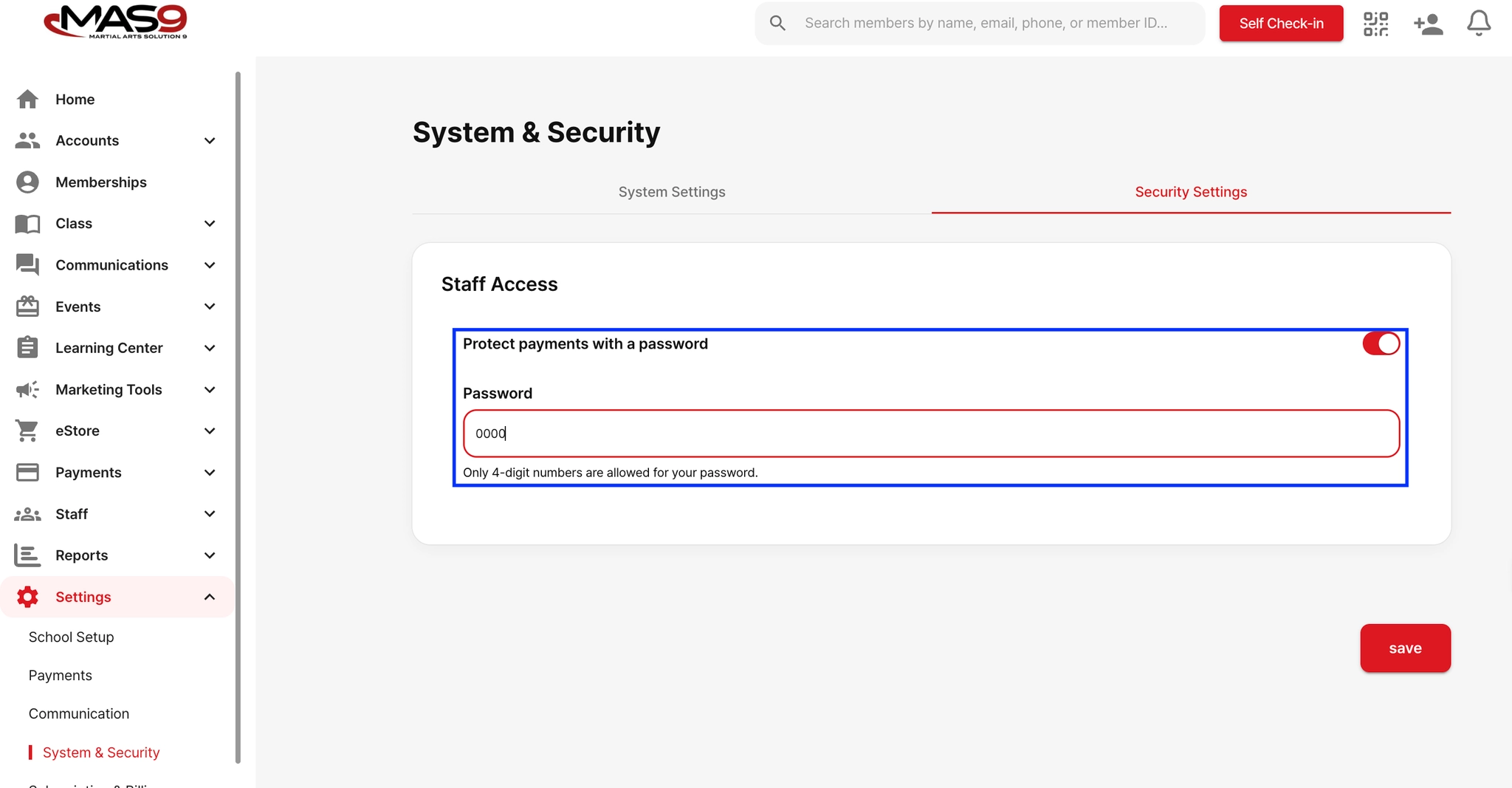
Setting Up Payment Password
Go to Settings
Click System & Security
Switch to the Security Setting tab.
Toggle on Protect Payment with Password.