Step-by-step Instructions
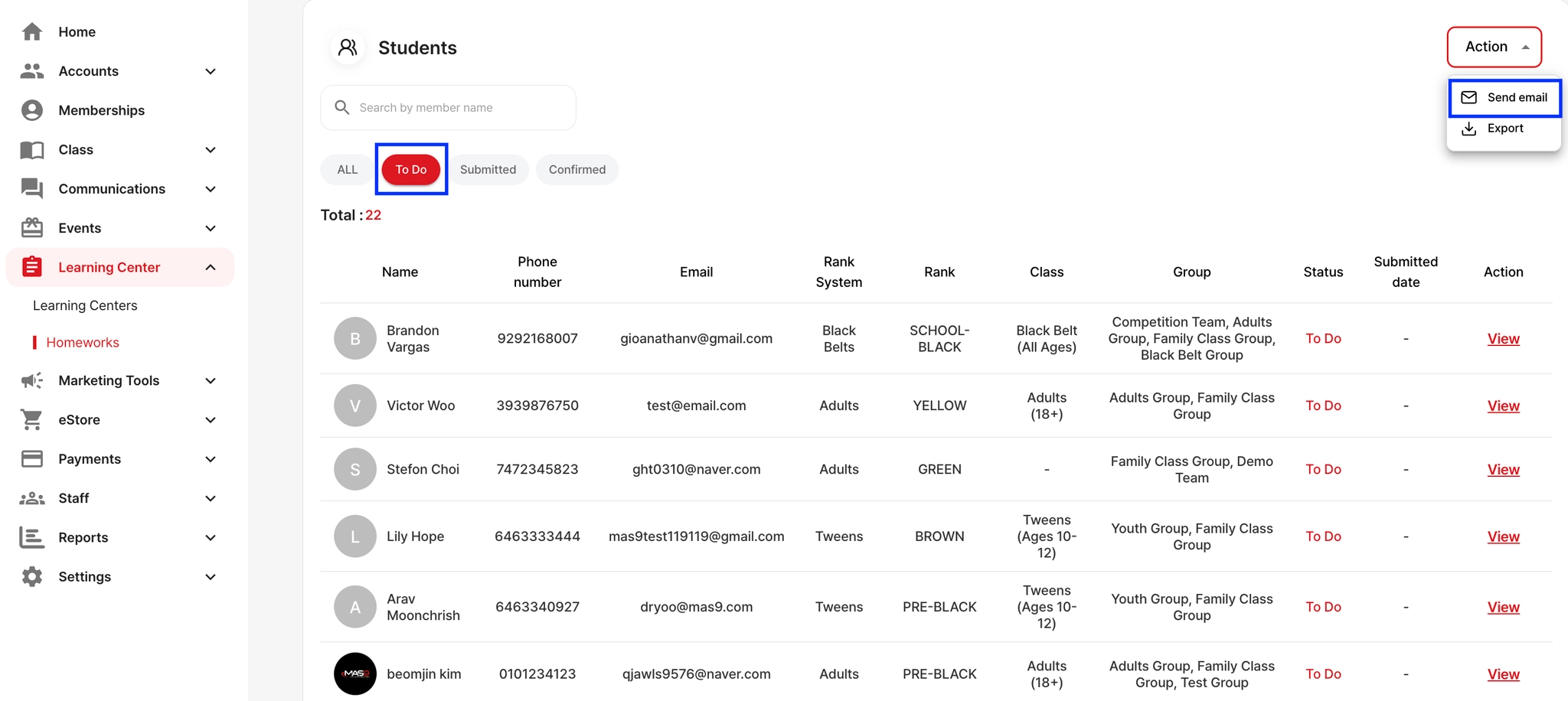
Go to Learning Center → Homeworks. This will show all homework assigned to students.
Filter by To Do. Click the To Do tab to view students who still need to submit their homework.
Click Action on the right side
Select Send email
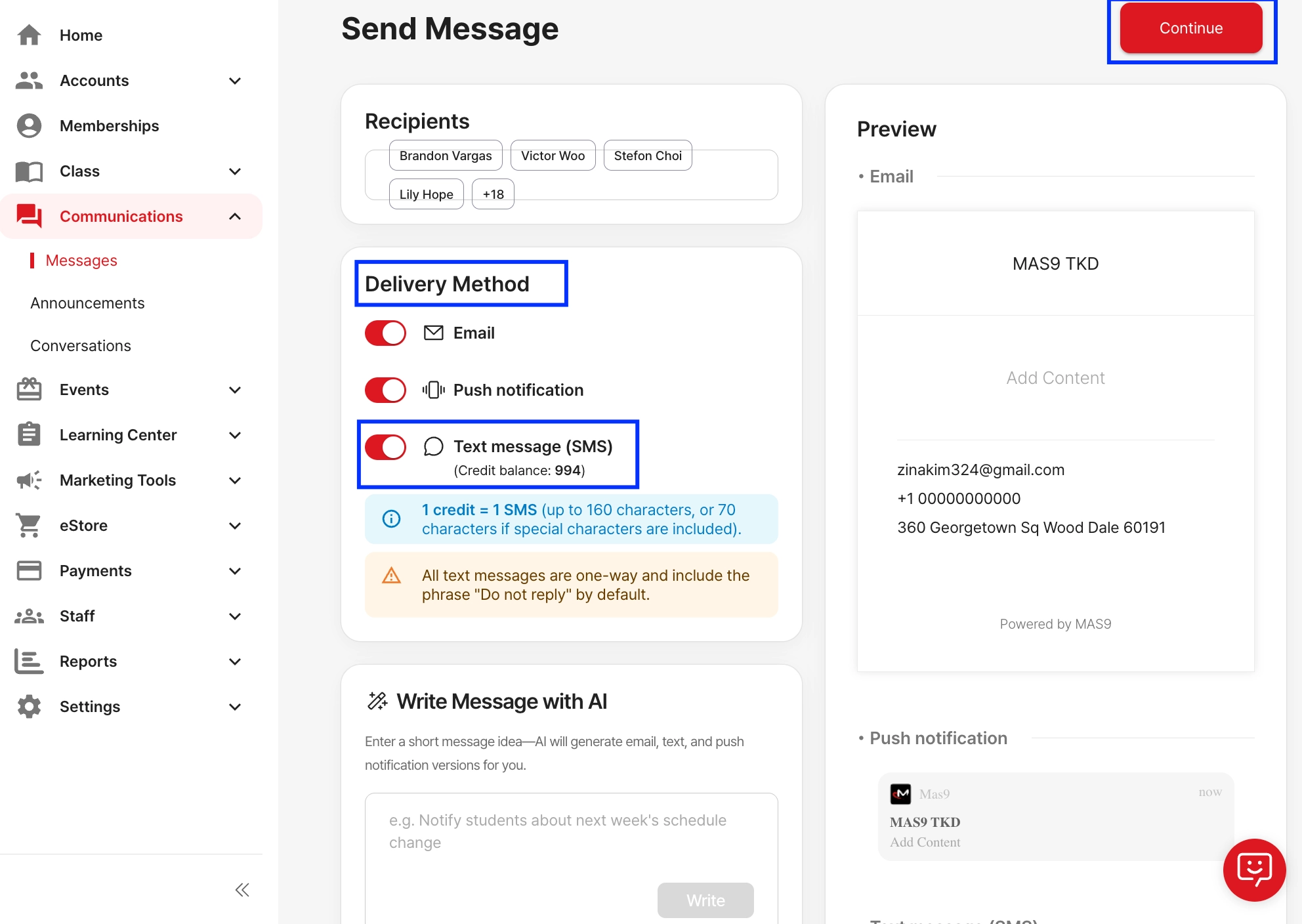
You will now see the Recipients list. Review to confirm who will receive the reminder.
Delivery Methods
Before sending, check the Delivery Method options (Email, Push, or SMS).
Write Your Message
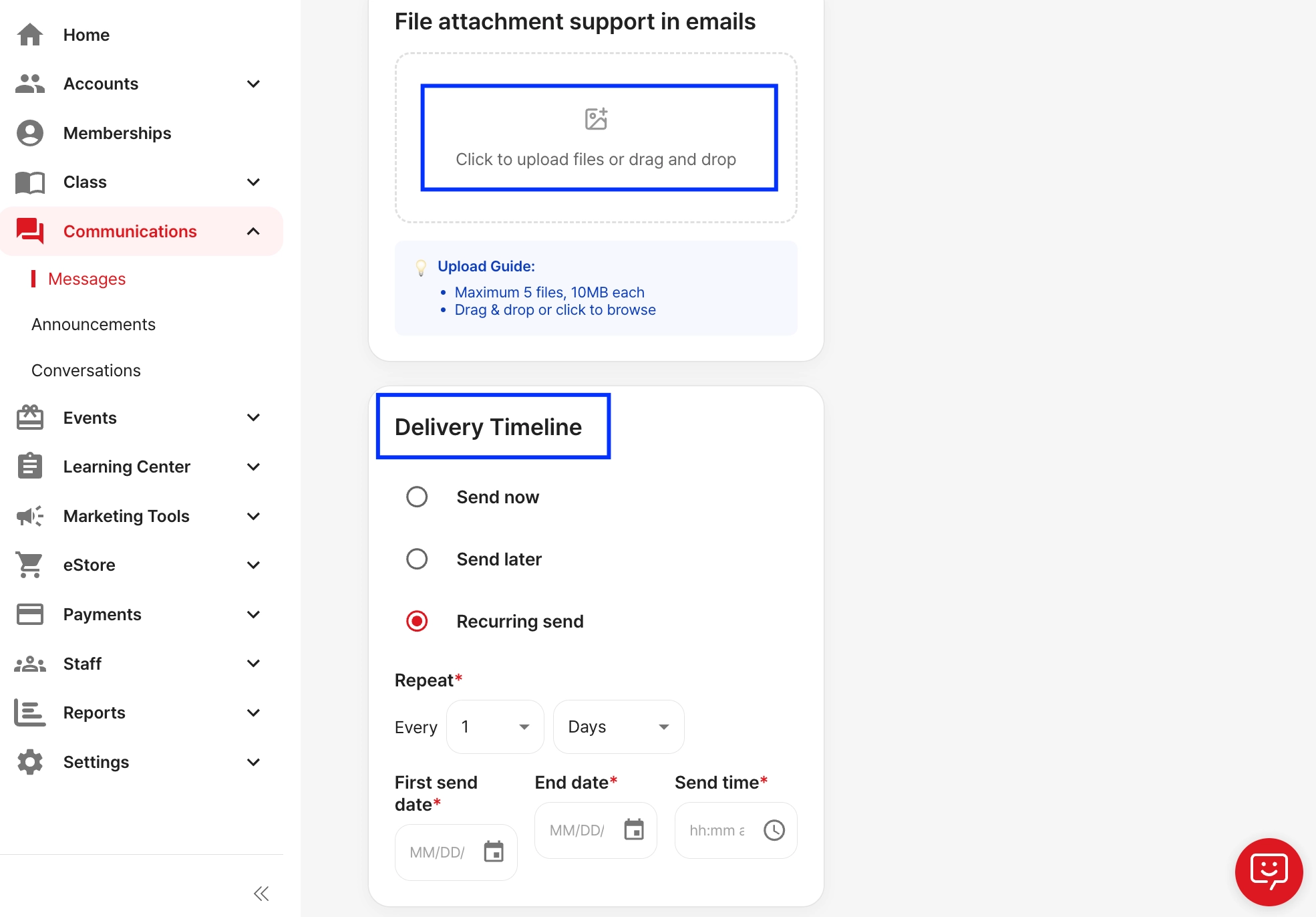
Scroll down and fill in the required fields and choose your delivery timeline (Send Now, Later, or Recurring).