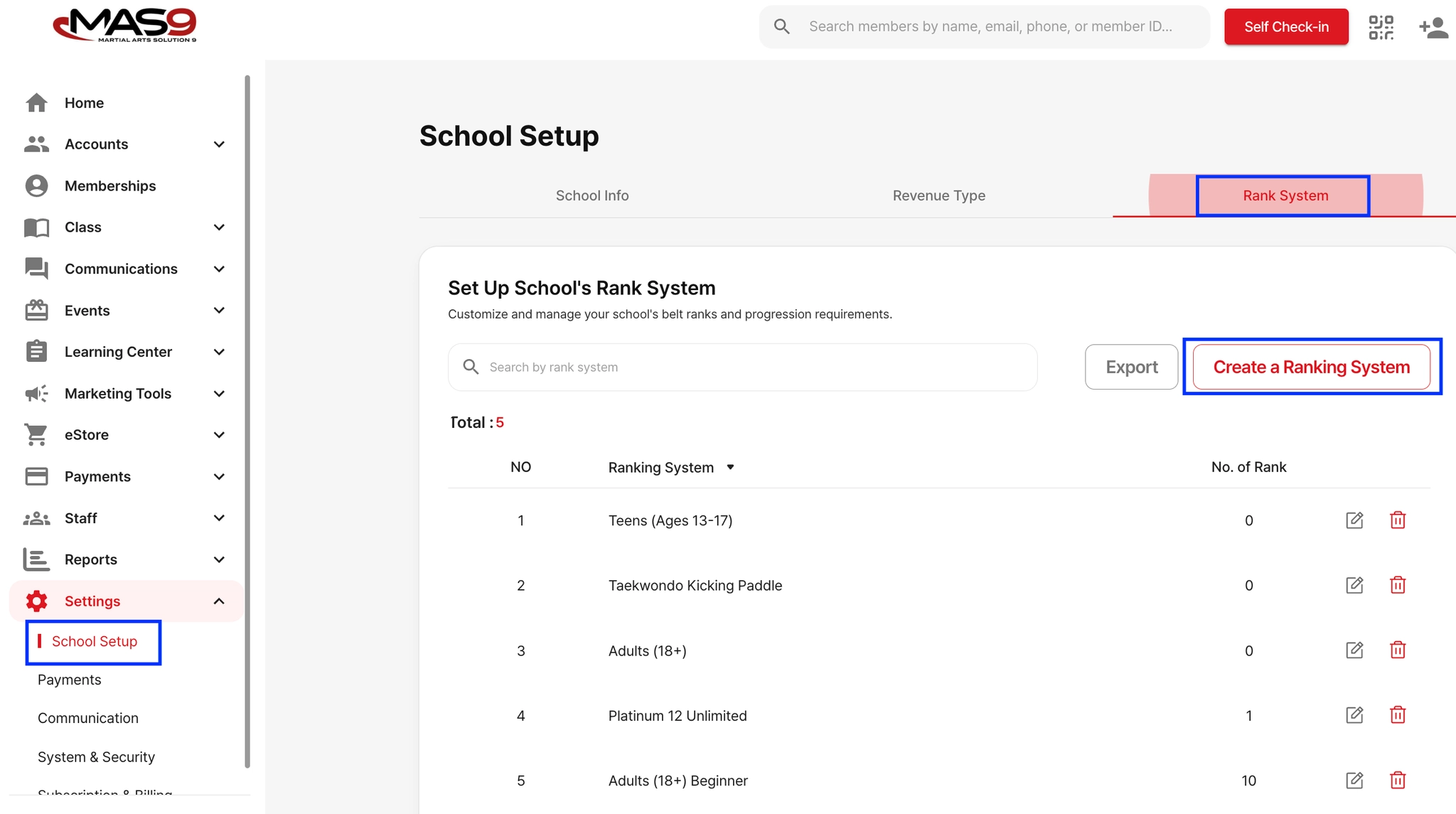
To create a custom ranking system for your school:
Go to: Settings → School Set up → Rank System → Create a Rank System
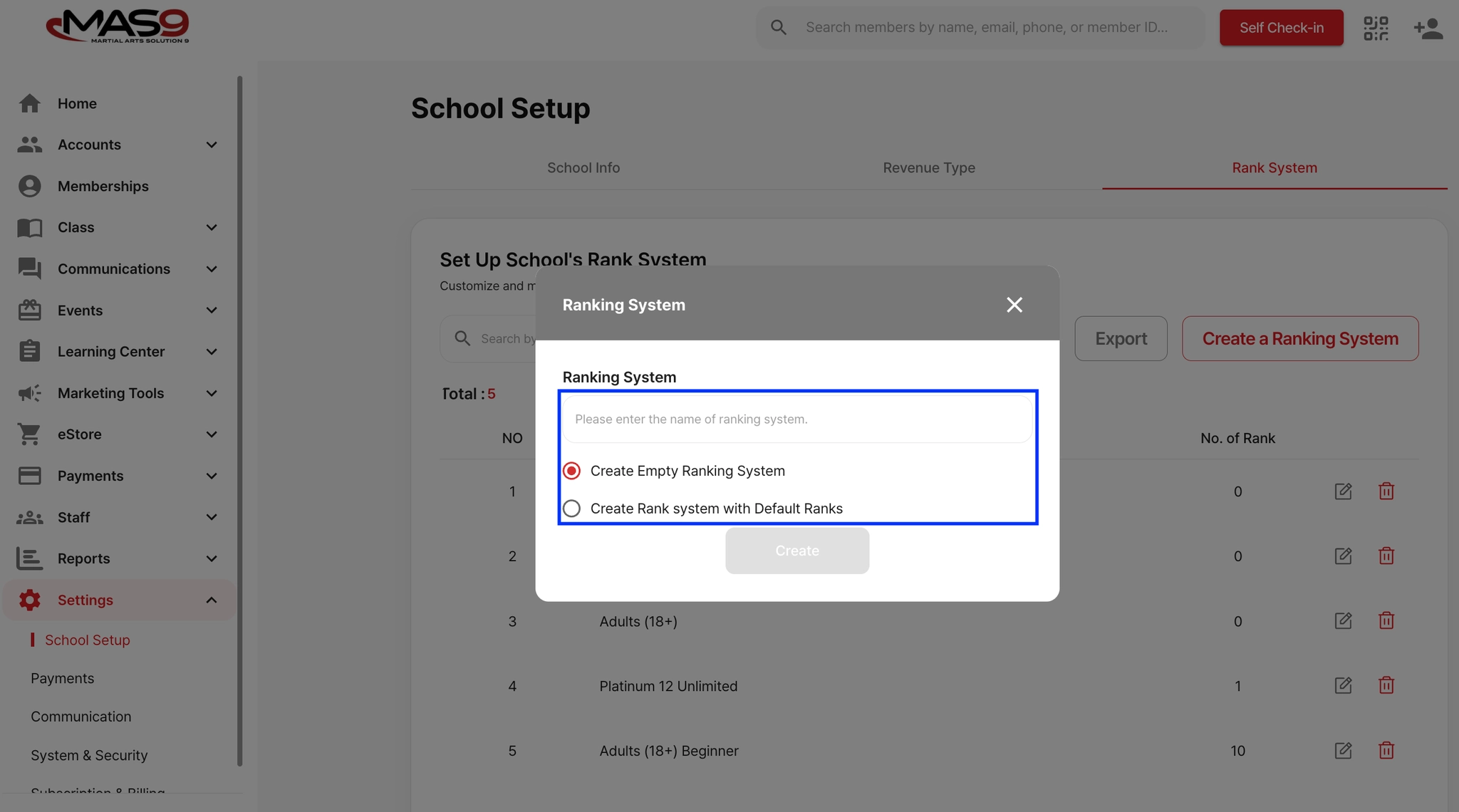
Enter a name for your rank system (e.g., Little Tiger, General, or Basic), then save.
Tip: You can create different rank systems for various programs or age groups.
Choose one of the following options: Create Empty Ranking System or Create Rank System with Default Ranks (use a preset as your base).
After creating the system, you can add new belts or edit existing ones to match your curriculum.
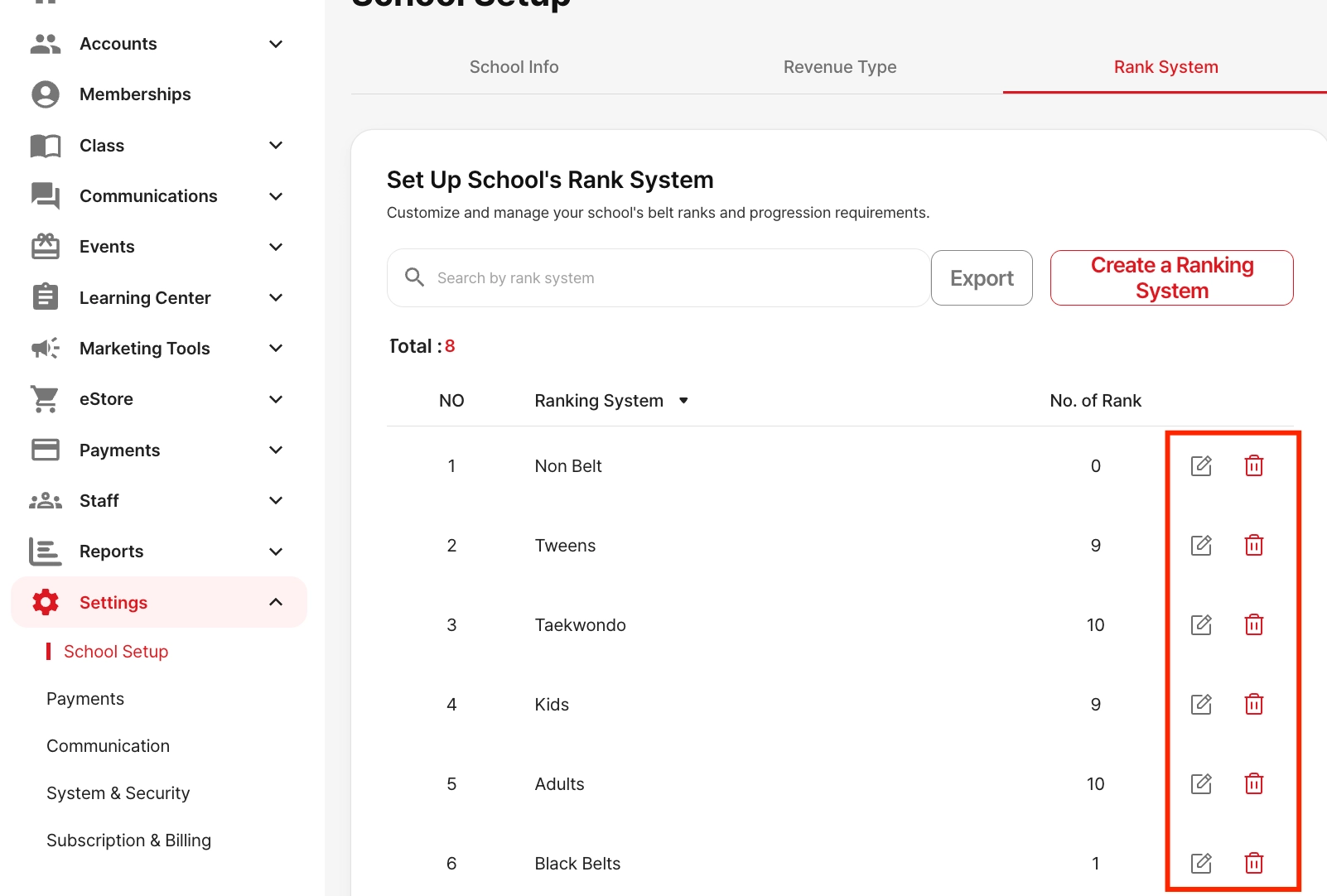
To edit or delete a rank system, go to Settings → School Setup → Rank System, and click the edit (pencil) icon or trash icon.