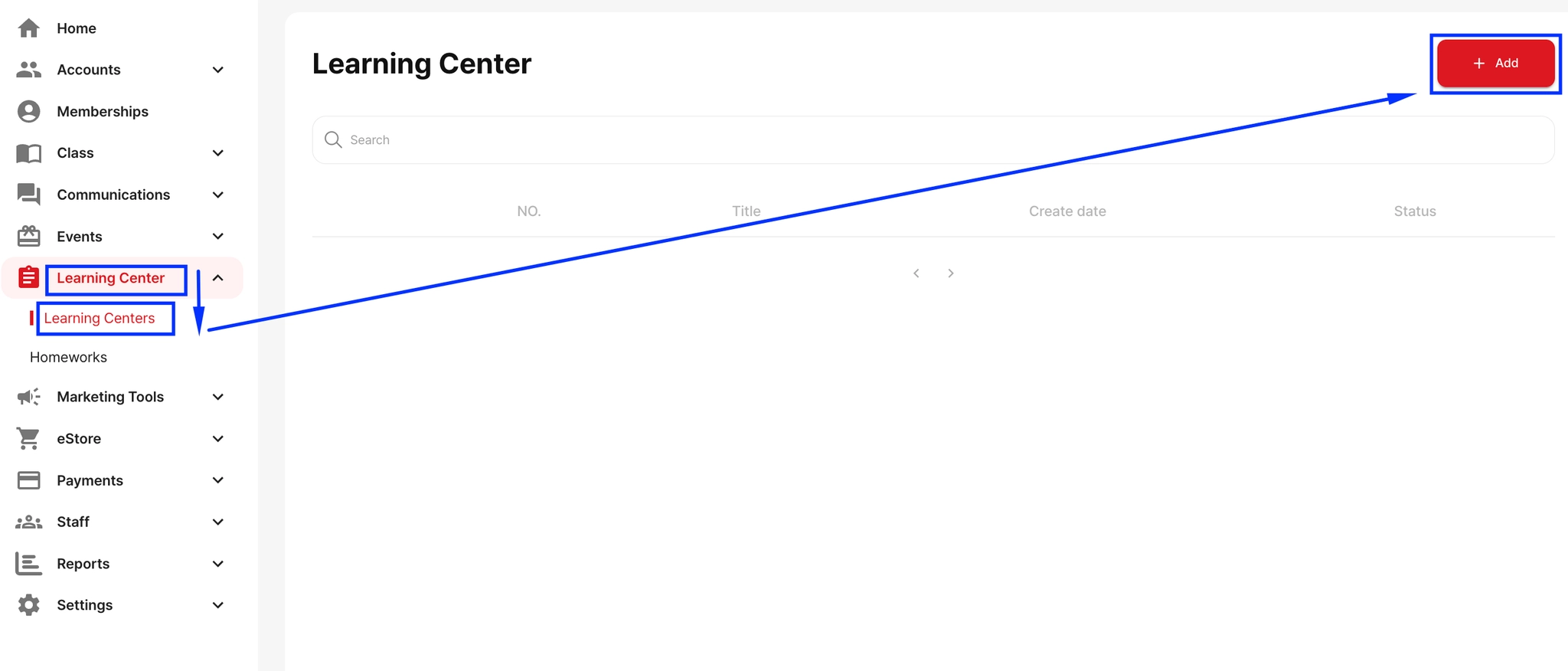
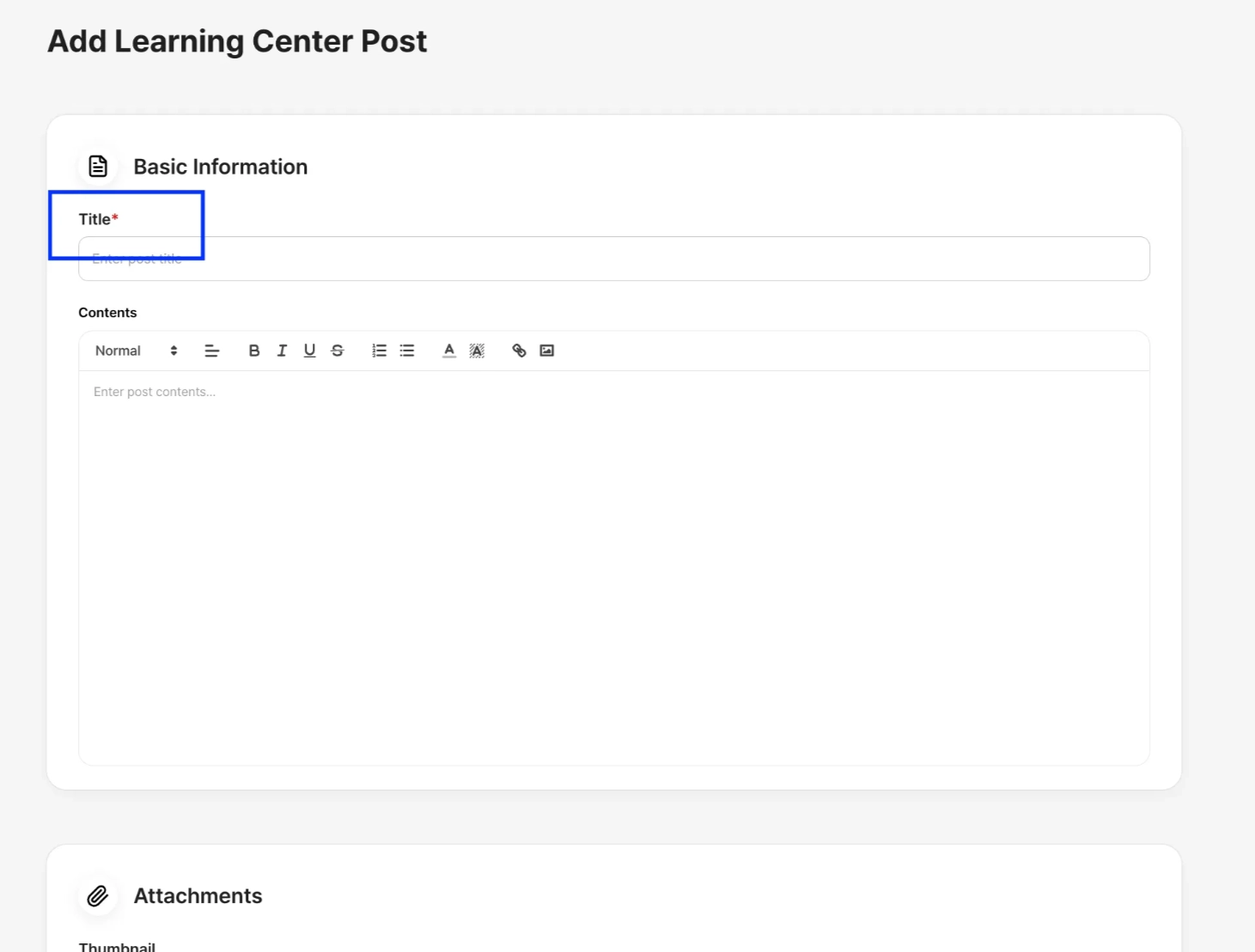
To add a new learning resource:
Go to Learning Center → Learning Centers
Click + Add
If you have your own video file, you can upload it directly from your device
If you want to upload a YouTube video, simply copy the YouTube link and paste it into the Video section
Once everything is filled out, save the content to make it available to students.