For schools using our website service
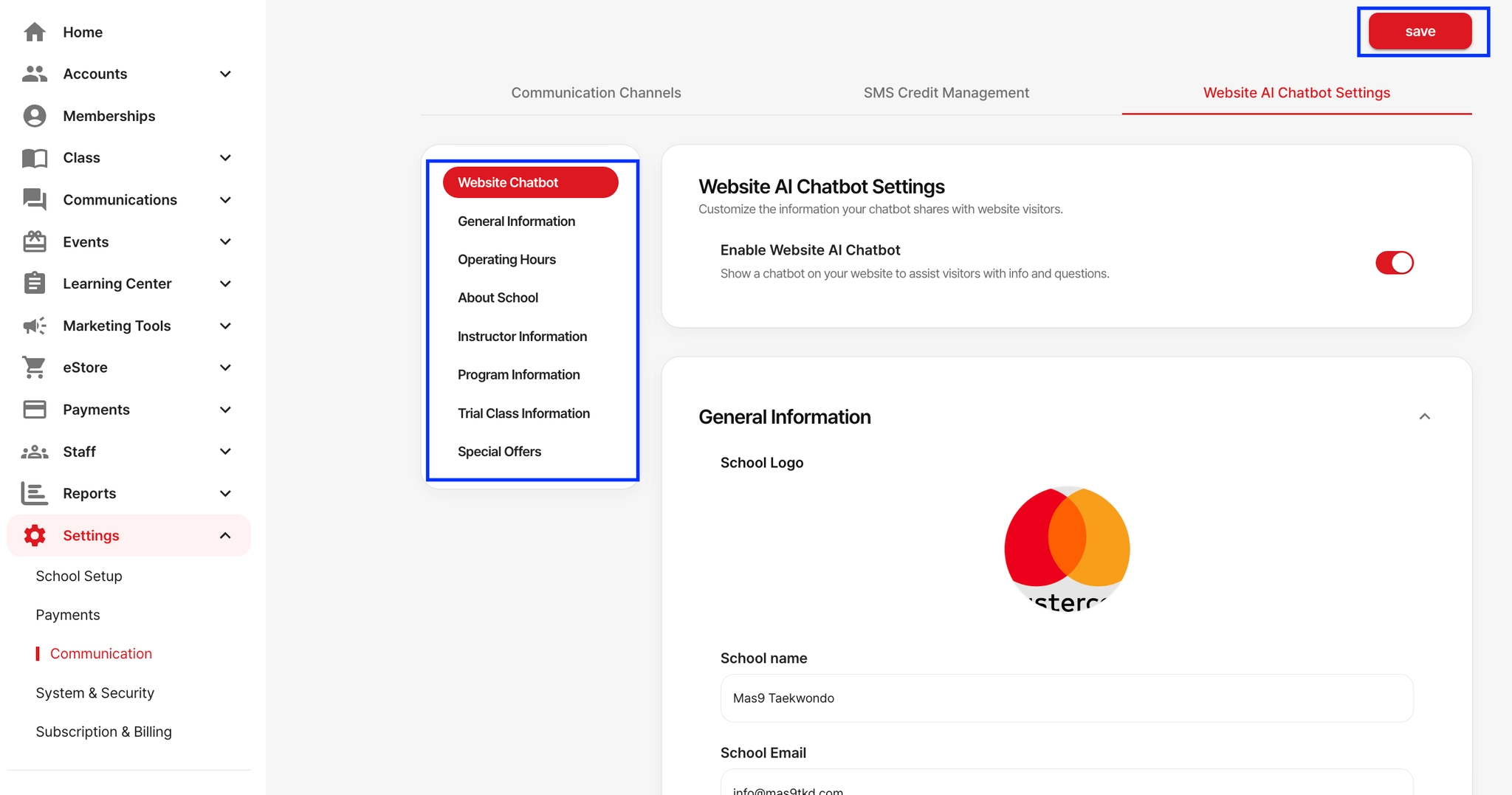
If your school is using our website service, please complete the sections below. The AI chatbot on your website will use this information to assist visitors and answer their questions.
How it works:
Go to Settings → Communication → Website AI Chatbot Settings.
Turn Enable Website AI Chatbot ON to activate the chatbot on your website.
On the left menu (General Info, Hours, About School, etc.), fill in information the chatbot will use when answering visitors.
Click Save at the top right when finished editing.