If the website doesn’t update, buttons don’t work, the page loads slowly, or shows an old version, clearing your browser cache can resolve the issue.
To clear the cache in Google Chrome:
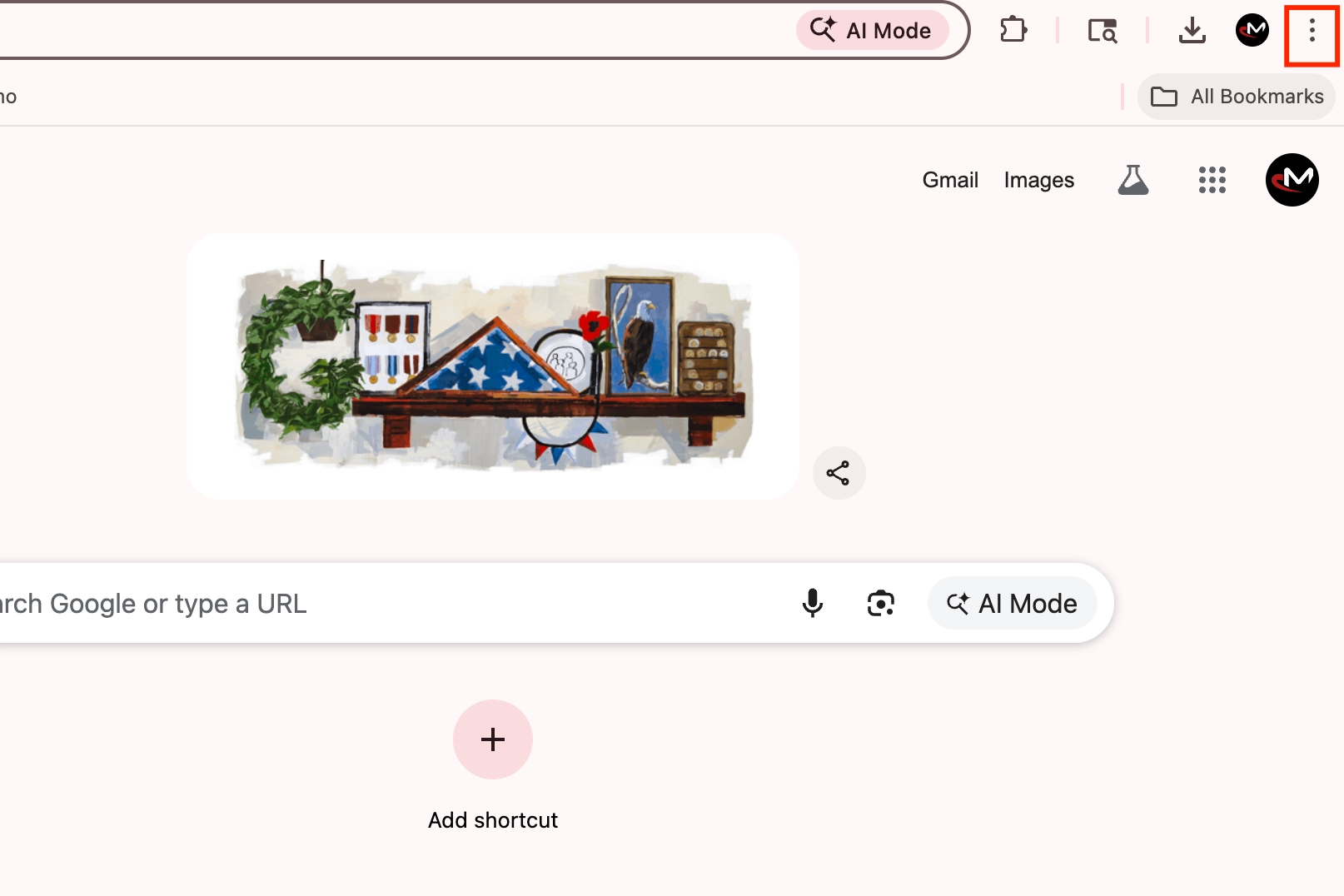
Open a new tab and click the three dots (⋮) in the top-right corner.
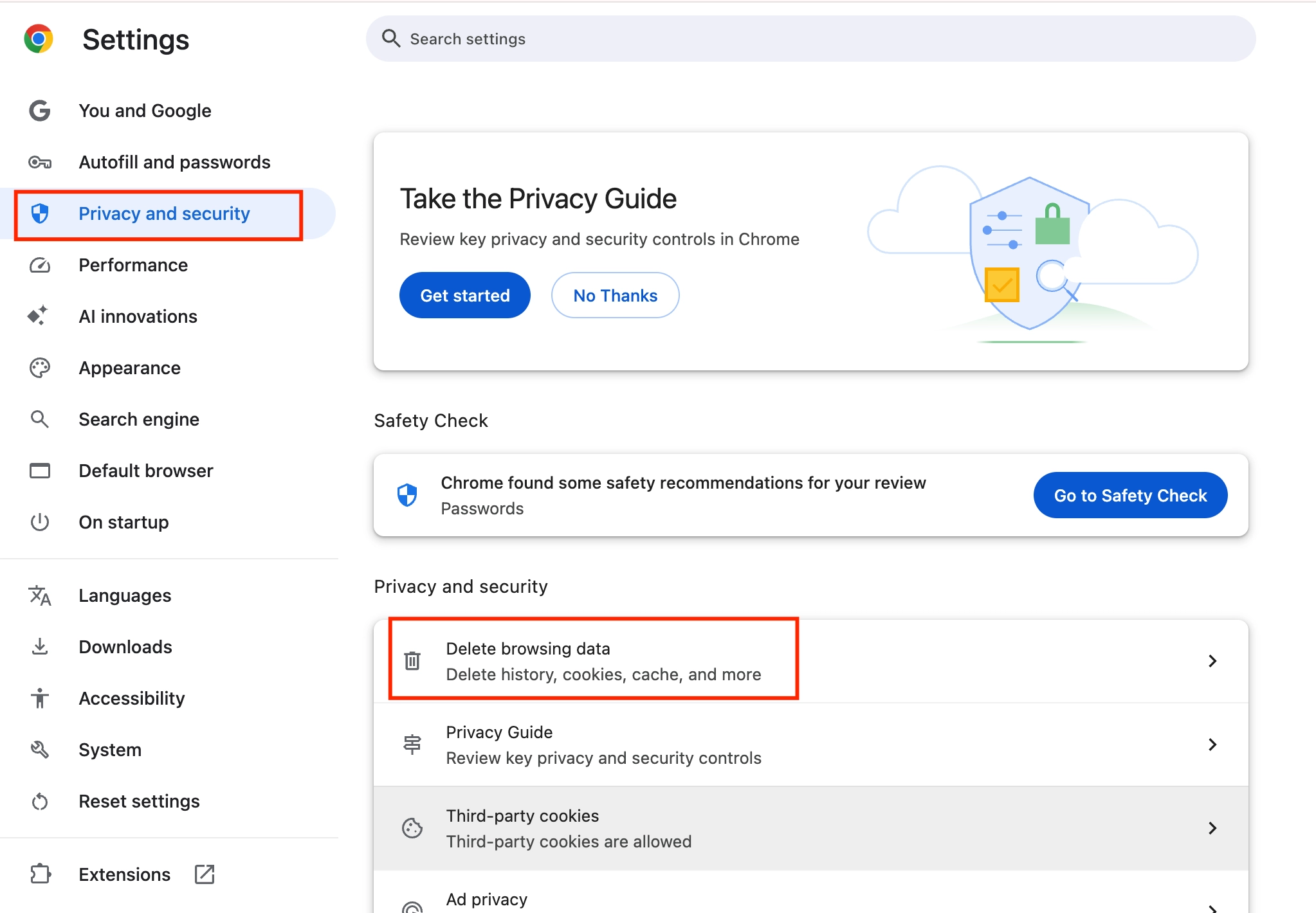
Go to Settings → Privacy and security → Delete browsing data.
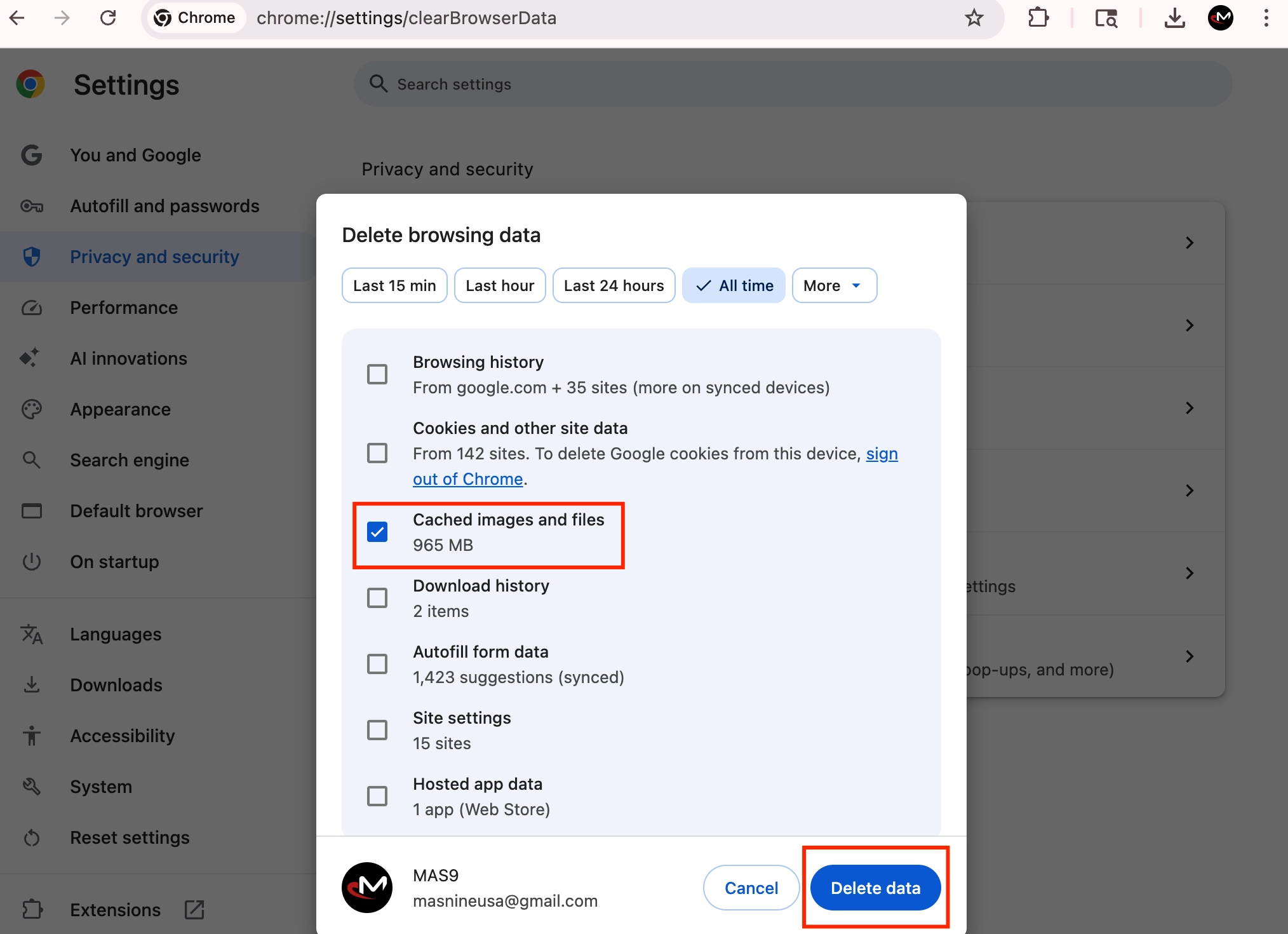
Check only Cached images and files, then click Delete data.