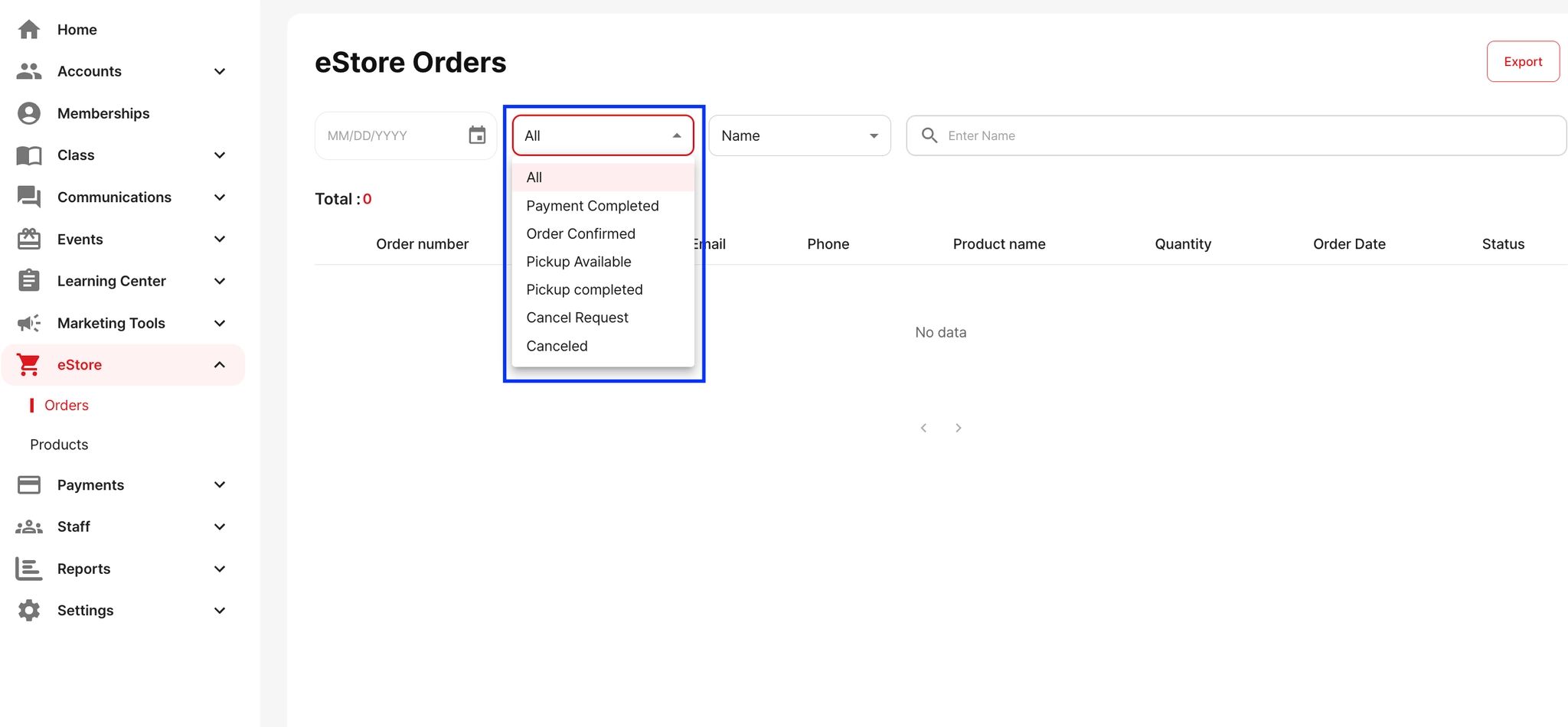
You can view all details about sold products by going to eStore → Orders. In the Orders section, you can see who purchased the items and which products were sold.
You can also filter and search orders by:
Order Status (e.g., Payment Completed, Pickup Available, Canceled)
Customer Name
Product Name
Email
This allows you to quickly find specific orders or check the current pickup/shipping status.